

When I tell people I read on a Samsung Galaxy Tab A11+, the reaction is usually the same. They assume I have abandoned my e-ink readers, that I have decided a bright color tablet is the future of reading and the Kindle on my nightstand is doomed. The honest answer is messier, and it is the reason I wanted to write this review. I have used the Samsung Galaxy Tab A11+ for about four months, since June, and I have learned that it is a wonderful reading device for exactly three kinds of material, and a poor one for a fourth. The trick is knowing which is which before you buy.
Let me set the scene. I am 61, I retired after 32 years as a middle-school librarian, and I read two or three books a week, mostly mysteries and historical fiction, most of them borrowed through my public library. I already owned a Kindle Paperwhite for bedtime and a Kobo Libra Colour for the days when my thumb arthritis makes tapping a screen hurt. I did not need another reading device. What I needed was something for the books my e-ink readers handle badly: cookbooks with glossy photographs, magazines from the library, PDFs, picture-heavy nonfiction. The Samsung tablet now lives on my kitchen counter and on the couch, and it has turned out to be the device I did not know I was missing.
The Quick Verdict
A bright, capable color tablet that is excellent for cookbooks, magazines and PDFs in daylight, and honest about what it is not: a bedtime reader. It did not replace my e-ink devices, and it was never going to.
Amazon Check Today's Price →The right tablet for color reading, if color reading is what you need
I have used the Samsung Galaxy Tab A11+ for four months on the kitchen counter and the couch. If your shelves and library holds are full of color-heavy books, this is the device that makes them readable. Check today's price and see if it fits your reading stack.
Amazon Check Today's Price on Amazon →How I've Used It
The Samsung tablet arrived in June, and I will tell you the placement right away because it matters: kitchen counter and couch, daytime only. It has never been in my bedroom, and it never will be. That is not a snub. My Kindle Paperwhite is the device I read in bed, with the warm light turned up and the room dark. The tablet is a different animal, a daytime animal, and once I stopped trying to make it into a night reader, we got along beautifully.
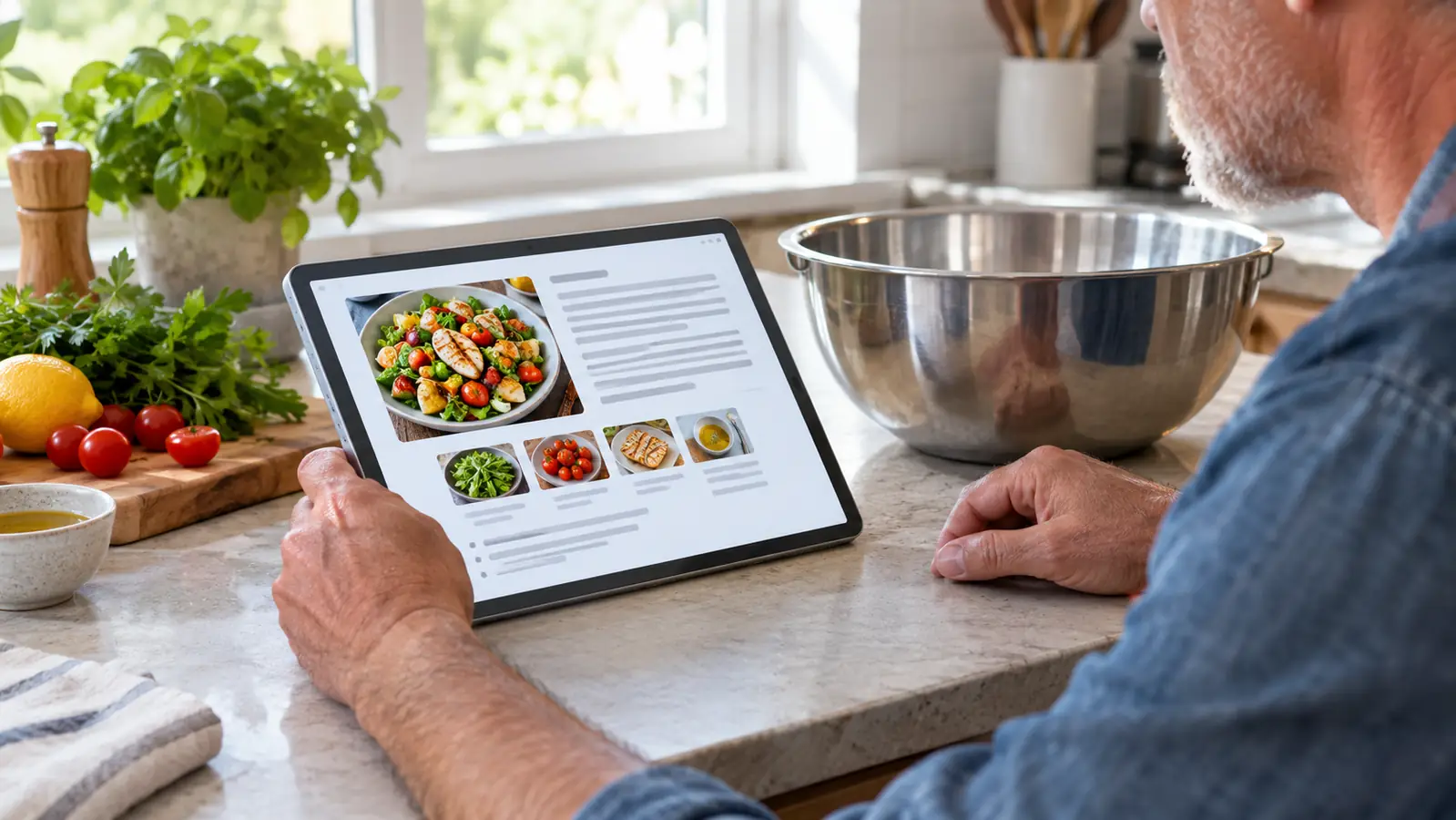
In the four months since, it has become the place where I read the things my e-ink screens make hard work. The cookbooks I used to prop open on the counter, the magazines my library carries in digital form, the PDFs my Friends of the Library group sends around, and the picture-heavy books that lose all their meaning in black and white. On an 11-inch color screen, a map in a history book is actually legible. A photograph in a biography looks like a photograph. That sounds small, but if you have ever tried to read a book with maps or photographs on a small e-ink screen, you know it is not.
I also use it for video calls, because a tablet is the right size for that and a 7-inch reader is not. And because it runs the Android versions of Libby, Kindle and Kobo, I can open books from every corner of my reading life in one place. The Kindle books I bought, the Kobo library loans, the library magazines: they all sit in the same app tray. For a person who borrows most of her reading, that convenience is the quiet reason the tablet earns its place.
The Screen Is Gorgeous, and That Is the Catch
Here is what nobody tells you about the Samsung Galaxy Tab A11+. The 11-inch screen is bright and colorful and lovely, and that is precisely why it is wrong for certain kinds of reading. It is an LCD screen with a backlight, not an e-ink screen. In daylight, on my kitchen counter, it makes cookbook photographs look the way the photographer intended. A red pepper is red. A chocolate cake looks like chocolate. For the first time, a recipe for a dish I had never attempted made me want to attempt it, because I could finally see what the finished thing was supposed to look like.
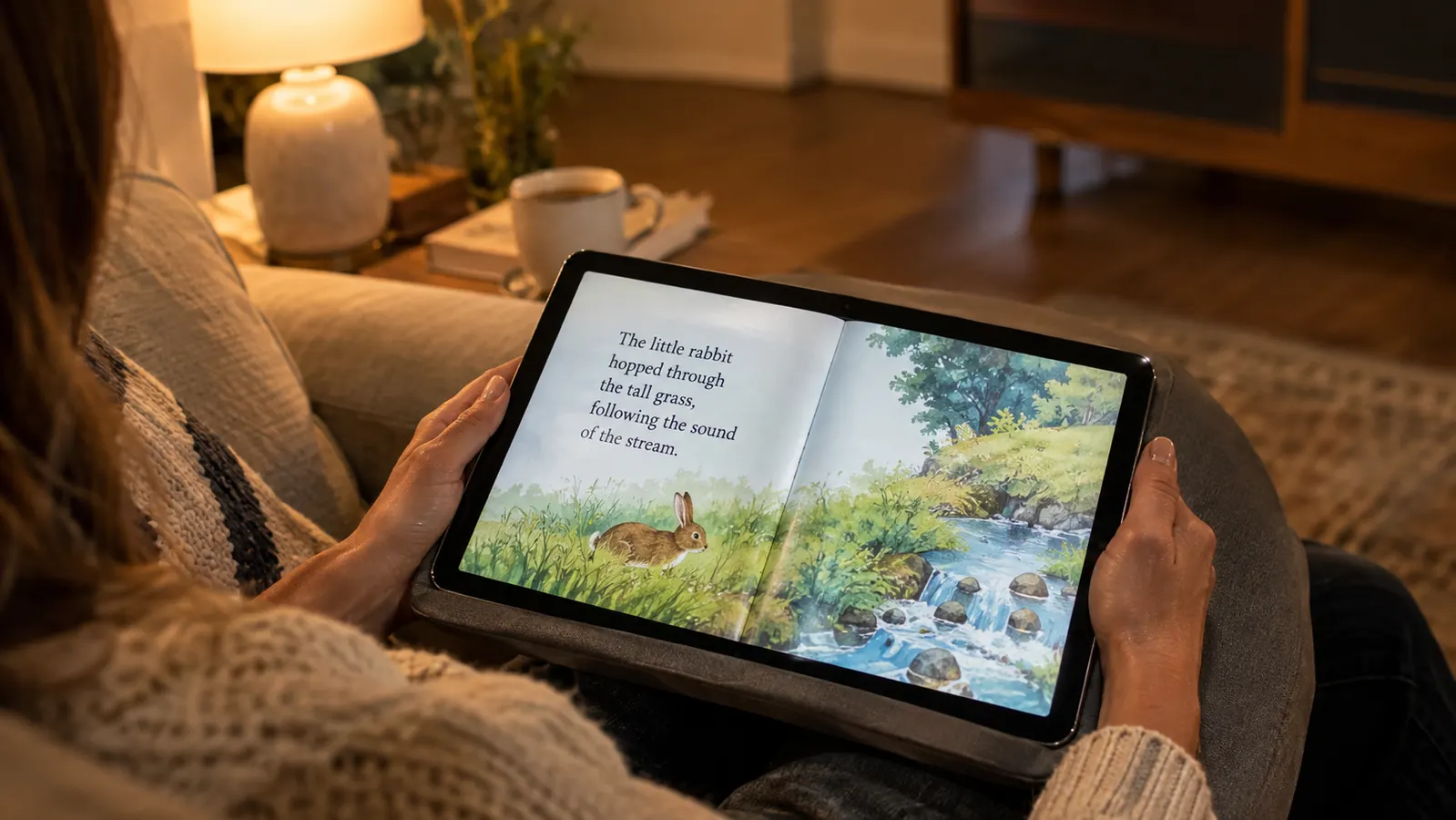
But the same backlight that makes it glorious at noon is the reason it will never be my night reader. Even with Samsung's eye comfort setting turned on, and I have used it every day, a backlit screen is still a backlit screen. My eyes, at 61, with reading glasses and a long history of bright screens, know the difference. I find myself squinting less at the tablet during the day than I expected, but I also find myself reaching for the warm light on my Paperwhite the moment I get into bed. The tablet does not come with me.
The other thing I noticed is glare. My blue armchair is by the living-room window, and on bright afternoons the tablet picks up the window light in a way my e-ink readers never did. I have learned to tilt it, or to read in the corner of the couch where the light is softer. It is not a dealbreaker. It is a reminder that a tablet is a glass screen, and glass screens have reflections. Nobody tells you that part in the spec sheet.
What Nobody Tells You About Library Books on a Tablet
Let me talk about the library, because that is where most of my reading comes from. My public library uses Libby for digital lending, and the Libby app on the Samsung tablet works the same way it works on my phone, which is to say it works well. Magazine loans, the ones I was most curious about, land in the app and open in color, full page, and they look like magazines. That alone made the tablet worth having for me.
What nobody tells you is the behavioral part. On an e-ink reader, reading is the only job. There are no notifications, no app trays, no browser tabs. On the tablet, reading is one app among many, and that changes the experience in ways I did not expect. I have caught myself finishing a chapter and, instead of starting the next one, checking email. I do not do that on my Paperwhite. The tablet is not harder to read on. It is easier to get distracted on, and that is a real difference, not a nitpick.
The fix, for me, was structure. The tablet lives on the kitchen counter, not in my lap. When I pick it up, I pick it up for a reason: the stew recipe, the new issue of the magazine, the PDF from the library group. I do not keep it beside the armchair, because the armchair is for books. I know that sounds like a small thing, but it is the difference between a tool and a toy. And the expandable storage is genuinely useful here. I have loaded the tablet with years of magazines and a shelf of PDFs, and the 128GB has never made me think about space, with room to grow on a microSD card if I ever need it.
There is one more thing I did not expect. Because the tablet runs the Kindle app, I can open my Kindle books on it too, and for a book with color illustrations, I will sometimes choose the tablet over the Paperwhite during the day. The words look slightly less like ink, but the pictures look like pictures. It has changed how I read a certain kind of book: a history of the Civil War, for example, or a biography of an artist. I read the text on my Paperwhite at night, and I look at the images on the tablet the next morning. It sounds inefficient. It is actually wonderful.
The Honest Tradeoffs Nobody Mentions
Let me be straight about the downsides, because a review that only praises is a waste of your time. First, this is a big device, and it is a two-hand device. My right thumb has mild arthritis, and holding an 11-inch tablet one-handed is not something I can do for long. I read with it propped on the kitchen counter, or resting on a cushion on the couch, or flat on the table. It is not a page-turn-button device like my Kobo, and it is not a hold-in-one-hand device like my Paperwhite. If you want to curl up and hold your reading in one hand, this is not that.
Second, the battery. I am not going to quote numbers, because battery life depends on what you are doing, but I will tell you the honest difference: I charge my e-ink readers every few weeks, and I charge the tablet far more often. It is not a problem, because the tablet lives on the kitchen counter next to an outlet, and I plug it in the way I plug in my phone. But if you are coming from the world of e-ink and you expect a reading device you can forget about for a month, the tablet will surprise you.
Third, and this is the one I want to be most honest about: the tablet is not a replacement for any of my other reading devices. It is an addition. I read my novels on the Paperwhite. I read my library books on the Kobo when my thumb is bad. I read my nonfiction on the Kindle Scribe, where I can write in the margins. The Samsung tablet does the jobs those three cannot do well. If you buy it hoping it will replace your e-reader, you will be disappointed. If you buy it to do the reading your e-reader is bad at, you will wonder how you managed without it.
And one more honest note about the size. The tablet fits on the kitchen counter, on the couch cushion, on the table. It does not fit in a purse the way a phone does, and it is not the thing I grab when I am heading out to an appointment. It is a home device, and I have made peace with that. The e-ink readers are the ones that come with me. The tablet stays where the color books live.
What I Wish I Had Known Before Buying
The first thing I wish someone had told me is that this tablet would not change my reading habits. I half expected that a bright color screen would tempt me away from my e-ink readers, that I would suddenly want to read everything on it. The opposite happened. The tablet settled into its lane, and my e-ink readers stayed in theirs. The Paperwhite kept the bed, the Kobo kept the bad-thumb days, and the tablet kept the kitchen and the couch. Knowing that in advance would have saved me a week of trying to make it into something it is not.
The second thing is simpler: buy the storage you think you need and then add the card. I did not expect to keep years of magazines on this device, but once I saw how good they looked, I stopped deleting old issues. The 128GB has been plenty, and the microSD slot means I will not have to choose between my magazine archive and my cookbook collection when the time comes. For a reading device that is also an archive, that kind of room matters more than any spec sheet number.
What I Liked
- A bright 11-inch color screen that makes cookbooks, magazines and picture-heavy books look the way they were meant to look
- Runs Libby, Kindle and Kobo apps, so all of my reading lives in one place
- 128GB of storage with microSD expansion, plenty for years of magazines and PDFs
- Excellent daytime companion on the kitchen counter and the couch
- Also handles video calls, which no e-ink reader can do
Where It Falls Short
- A backlit LCD screen that is hard on my eyes at night, even with the eye comfort setting
- Too big and heavy for comfortable one-handed reading, especially with my thumb arthritis
- Needs charging far more often than my e-ink readers
- Easy to get distracted on, because reading is one app among many, not the only job
The best reading tablet is not the one that replaces your reader. It is the one that does the jobs your reader cannot do.
Who This Is For
Buy the Samsung Galaxy Tab A11+ if you read cookbooks and want to see the dish before you make it. Buy it if your library lends magazines and you have been squinting at them on your phone. Buy it if you read history or biography with maps and photographs, or if you have a stack of PDFs that deserve a bigger page. Buy it if you want one device that can open a Kindle book, a library loan and a magazine without changing apps. And buy it if you already have a dedicated e-reader and simply want the color companion that reader cannot be.
Who Should Skip It
Skip it if you are looking for your first reading device, because a dedicated e-reader will serve you better and demand less of your attention. Skip it if you read mostly novels in bed, because the backlit screen will fight your sleep and the size will fight your hands. Skip it if you cannot resist a notification, because the tablet will test you in ways a Kindle never will. And skip it if you are hoping it will replace your e-ink reader, because it will not, and you will be annoyed at it, and at me, for pretending otherwise. The Samsung Galaxy Tab A11+ is a wonderful second device. It is not a first device, and it is not a replacement.
If you have read this far, you already know whether the Samsung Galaxy Tab A11+ is for you. That is the gift of an honest review: no persuasion required. I did not buy mine to replace anything. I bought it because a whole shelf of my reading life was not being served by the devices I already owned, and four months later, that shelf is the one I reach for most during the day. It is not my favorite reading device. It is the most useful one.
See if the Samsung Galaxy Tab A11+ fits the reading you actually do
If you read color-heavy books in daylight and you already have a dedicated e-reader for bedtime, this tablet is the companion you are missing. Check today's price on Amazon and decide with your own reading stack in mind.
Amazon Check Today's Price on Amazon →