

I bought the Kobo Libra Colour in March for one reason: my right thumb. That winter, the arthritis in my thumb flared up badly enough that tapping the screen of my Kindle Paperwhite started to hurt, and by late February I was reading less than I wanted to because every page turn cost me something. I needed physical page-turn buttons, and the Kobo Libra Colour was the reader that had them. Seven months later, I have strong opinions about this device, and not all of them are flattering. So here is the honest review, the one that tells you who should skip it.
The Quick Verdict
A comfortable, well-built reader with real page-turn buttons and excellent library integration. Buy it for the buttons and the ergonomics. Skip it if you want a true color experience, because the color screen is a compromise, not a showcase.
Amazon Check Today's Price →The reader that saved my thumb
If your hands ache from tapping a screen all evening, the Kobo Libra Colour is the reader I reach for on bad days. The buttons are the whole point.
Amazon Check Today's Price on Amazon →How I've Used It
I am a retired middle-school librarian in Columbus, Ohio, and I read two or three books a week, mostly mysteries, historical fiction, and narrative nonfiction. Most of those come through my public library's digital lending, and the rest I buy. The Kobo Libra Colour has been my bad-thumb reader for about seven months. It lives in the armchair by the living-room window, and on days when my thumb is sore, it is the device I pick up. It is not my bedtime reader. That is still my Paperwhite, because the Kobo's buttons are on one side and I read in bed on my side, and the screen rotation does not fix that for me.
The winter before I bought it, I tried everything short of giving up. I held the Paperwhite in my left hand and tapped with my left thumb, which worked for about a week until my left thumb started complaining too. I tried propping the reader on a pillow and tapping with my index finger, which was better but awkward, and I could not settle into a book that way. The motion that hurt was the small repeated tap of my right thumb against the glass, dozens of times an hour, night after night. By the end of February I was choosing shorter books partly because turning the pages hurt.
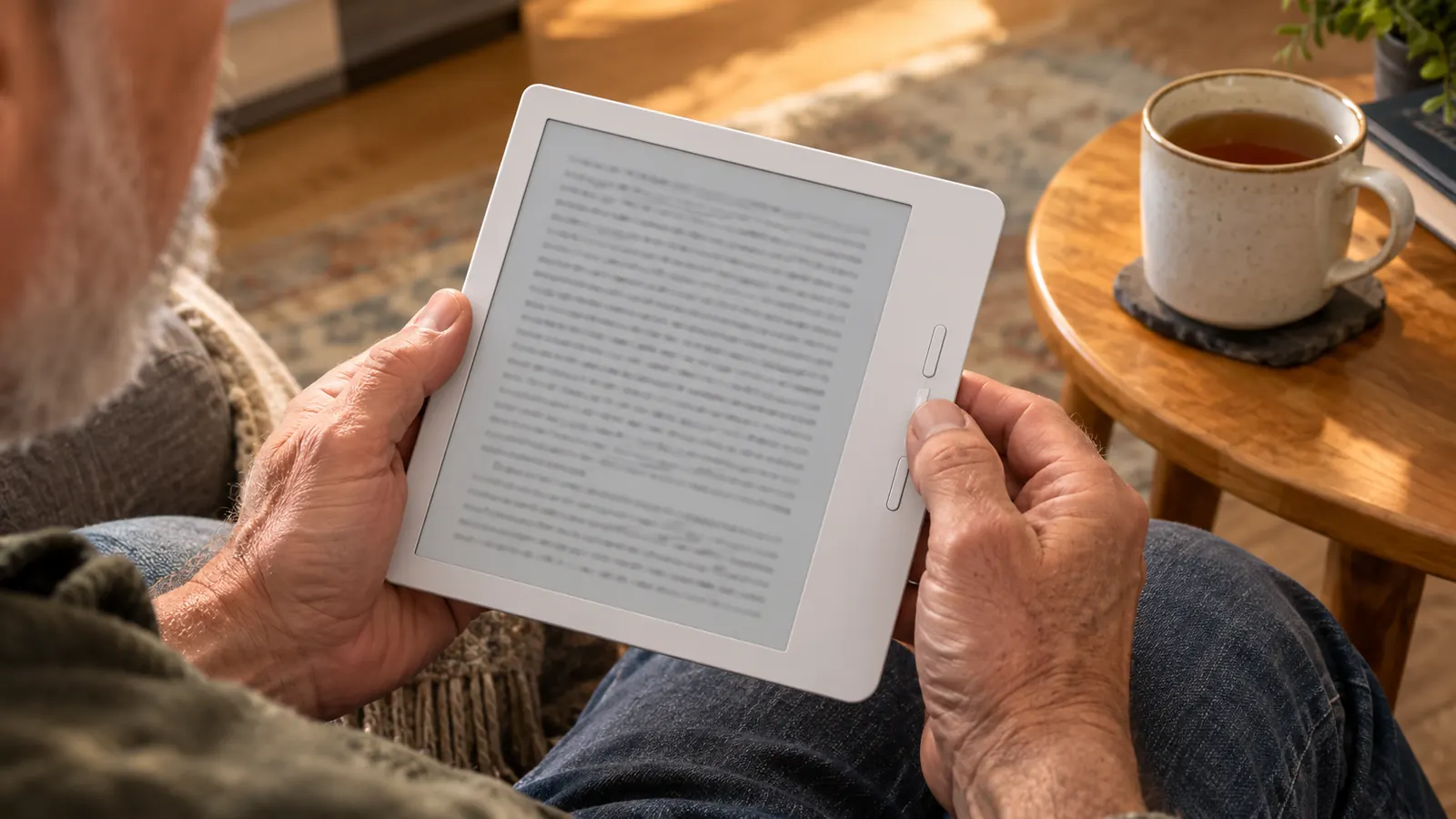
So in March I ordered the Kobo Libra Colour. I read it bare, with no case. The two page-turn buttons sit on the wider bezel on one side, and they give a soft click that I have come to like. The screen rotates, so I can hold it in either hand, and the buttons work in both orientations. I have never dropped it, and it has never been in water. I did once wipe spilled iced tea off it, and it was fine, which is more than I can say for the tablecloth.
What Nobody Tells You About the Color Screen
Here is the honest part. The Kobo Libra Colour has a 7-inch color e-ink display, and the color is not what the product photos suggest. It is muted, like a newspaper with a color section, not like a tablet. When I look at the covers of my library books on the home screen, they look like faded versions of themselves. If you are buying this for color, you will be disappointed. If you are buying it for the buttons and the comfortable reading experience, the color is a bonus you will barely notice.
The other thing nobody tells you is that the color screen is a little darker than a black-and-white e-ink screen. I keep the front light on more often with the Kobo than with my Paperwhite, especially in the evening. It is not a problem, but it is a difference, and it matters if you read in dim light a lot. I do, and I have adjusted. The warm light helps, and I use it at night, just like I do on my Paperwhite. I usually keep the warm light two or three steps up from where I keep it on the Paperwhite, and that combination is easy on my eyes.
To be fair, the color does have a job, and it does that job. When I borrowed a graphic novel through the library to test the screen, the panels were readable and the lettering was crisp; it just was not the glossy color I get from a tablet. And the pages of a regular novel look clean and paper-like, which is the main thing I care about. The color screen also means the device can show the cover of the book I am reading while the book is closed, which is a small pleasure. If a black-and-white reader and this one cost the same, I would still take the color version for the covers alone.
The color is a compromise, not a showcase. The buttons are the reason to buy this reader, and they are worth it.
The Page-Turn Buttons, in Detail
The buttons are the whole reason I bought this device, so let me be specific. They sit on one side, on the wider bezel, and they are positioned exactly where my thumb rests when I hold the reader in my right hand. The top button turns the page forward, the bottom button turns it back, and the screen rotates so I can flip the device over and use the same buttons with my left hand. The click is soft, not mushy and not loud. After seven months, they still feel the same as they did in March.
For someone with arthritis in the thumb, this is the difference between reading for an hour and reading for twenty minutes. Tapping a screen requires a small, repeated motion that gets painful. Pressing a button uses a different part of the thumb, and it does not hurt. The first time I read a full chapter without stopping to shake out my hand, I almost laughed. I have read for two hours straight on a bad day with the Kobo, something I could not do with my Paperwhite. That is the entire review in one sentence.
There is a learning curve, and it is smaller than you would think. The first evening I kept reaching for the screen out of habit, the way you still reach for a clutch after years of driving an automatic. Within a few days my thumb was finding the lower button without my looking at it. The wider bezel gives my hand something to grip, so the reader does not feel like it is going to slip, and because I read it bare, there is no case lip getting in the way. My husband Dale tried it once, held it in his left hand, turned three pages, and handed it back. He reads on his phone and does not care about buttons. I do.
Library Loans, Done Right
The Kobo handles library loans the way a reader would want, with OverDrive and Libby built in. I can browse my library's collection, borrow a book, and have it land on the device without plugging it into a computer. That is the same convenience I get with my Paperwhite through Libby's Read with Kindle, but the Kobo does it without the extra step of sending the book to Amazon first. For someone who borrows most of her reading, this is a real advantage.
The wait-list experience is also good. When a hold becomes available, the book appears on the device, and when the loan expires, it goes away. I have not had a single problem with a library book on the Kobo in seven months. That is more than I can say for some of the library apps I have used on my tablet.
One morning this spring, a hold I had been waiting on for weeks came through while I was having coffee. I opened the Kobo, the notification was there, and the book was on the device before I finished my second cup. On my Paperwhite, the same book would have meant opening Libby on my phone, confirming the loan, and waiting for Amazon to push it to the device. That is two minutes of fiddling, and two minutes is nothing. But when you borrow the way I do, eight or ten books a month, those two minutes add up, and the Kobo simply removes them. It is the closest thing to walking out of the library with a book under your arm that I have found in an e-reader.
What I'd Change
If I could change one thing, it would be the color screen. I would happily trade it for a sharper black-and-white display, because I bought this reader for the buttons, not the color. The Kobo Clara BW, which I have handled briefly at the library's demo shelf, has no page-turn buttons, so it was never a real option for me. But if Kobo made a version of the Libra with a black-and-white screen and the same buttons, I would recommend that to most people over the color version.
The other thing I would change is the stylus situation. The Kobo Libra Colour supports a stylus, but it is sold separately, and I do not own one. I have never missed it, because I do not take notes on my novels. But my Kindle Scribe came with its pen in the box, and that is the device I reach for when I want to write in the margin of a history book. If you are considering the Libra Colour for note-taking, know that the stylus is an extra purchase and the experience is not the same as a dedicated note-taking device.
And I would think harder about where the buttons go for bed readers. I read in bed on my side, and when the Kobo is lying on the mattress, the button side is often the side I cannot reach without shifting. The screen rotation is clever, but it does not put the buttons where I want them at eleven o'clock at night. That is why the Kobo is my armchair reader and the Paperwhite is my bedtime reader. If you read lying down the way I do, the one-sided buttons are worth thinking about before you buy.
What I Liked
- Physical page-turn buttons on the wider bezel, with a soft click that still feels the same after seven months
- Screen rotates, so the same buttons work in either hand
- Library loans through OverDrive and Libby built in, with no extra step of sending books to Amazon first
- Waterproof, and it survived a spilled iced tea wipe-down without a complaint
- Warm light and dark mode for evening reading, and the warm light is easy on my eyes
Where It Falls Short
- Color screen is muted, and the display runs a little darker than a black-and-white e-ink screen, so the front light goes on more often
- Stylus is sold separately, and note-taking is not the same as on a dedicated device like the Kindle Scribe
- Buttons live on one side only, which is awkward for reading in bed on your side
- Costs more than a black-and-white reader, and the color is the part you will notice least
Who This Is For
Buy the Kobo Libra Colour if you have sore hands or thumbs and you want physical page-turn buttons. That is the reason this reader exists, as far as I am concerned. Buy it if you borrow most of your books from the library and you want the simplest possible loan experience. Buy it if you want a waterproof reader you can take to the porch or the pool without worrying. Buy it if you want to hold a device in either hand and have the buttons work in both orientations.
And buy it if you want to listen to audiobooks through Bluetooth, which I have not used much but which works the way it should. The Kobo is also a good choice if you like the idea of a color screen for book covers and the occasional graphic novel, as long as you go in knowing the color is soft, not vivid. For a reader who wants a comfortable, well-built device for long sessions in an armchair, this is the one I reach for.
Who Should Skip It
Skip the Kobo Libra Colour if you are buying it for the color. The color is muted, the screen is a little darker than a black-and-white e-ink display, and you will be disappointed if you expect tablet-like color. Skip it if you already have a reader with buttons and you are happy with it. Skip it if you read mostly in bed on your side, because the buttons on one side are less convenient there. And skip it if you want a device for note-taking, because the stylus is sold separately and the experience is not the same as a dedicated note-taking device.
I also want to be honest about the cost. I am not going to tell you what I paid, because prices change, but the Kobo Libra Colour is not a budget reader. It costs more than a black-and-white reader, and you are paying for the color screen and the buttons. If you do not need the buttons, you can get a perfectly good reader for less. If you do need the buttons, the cost is worth it, because it is the difference between reading comfortably and not reading at all.
And if you are a Kindle person, the way I am for most of my reading, know that this reader does not replace your Kindle. My library holds still come to my Paperwhite through Read with Kindle, and my purchased books stay in the Kindle app. The Kobo sits next to the Paperwhite, not in place of it. That is not a problem, but it is the truth about how this reader fits into my life, and I would rather you hear it from me than discover it after you buy.
Still deciding?
If the buttons sound like the answer to your sore thumb, the Kobo Libra Colour is the reader I reach for on bad days. Check today's price and see if it fits your reading life.
Amazon Check Today's Price on Amazon →