

If you read a lot, you know the exact moment it starts. You are two chapters into a good mystery, the light is right, the house is quiet, and then your thumb begins to ache from reaching across the screen to tap the next page. I spent years telling myself it was just part of reading. Then my right thumb started bothering me for real, and I went looking for a reader with physical page-turn buttons. The Kobo Libra Colour is what I found, and after about seven months of using it on my bad-thumb days, I have a list of reasons those buttons matter more than I expected.
Give your thumb a break on long reading days
The Kobo Libra Colour puts physical page-turn buttons on the side, so you can hold the reader in one hand and turn pages without reaching or tapping. It is the reader I reach for when my thumb is sore.
Amazon Check Today's Price on Amazon →Your thumb stays in one place
With a touchscreen, every page turn means lifting your thumb, moving it to the right spot, tapping, and moving it back. With buttons, your thumb just rests on the button and presses. It is a small difference on page one and a big difference on page two hundred. I noticed it most during a long biography I read in March, the kind of book where you tell yourself you will stop at the end of the chapter and then read three more. By the time I finished, my thumb had not moved from the button once.
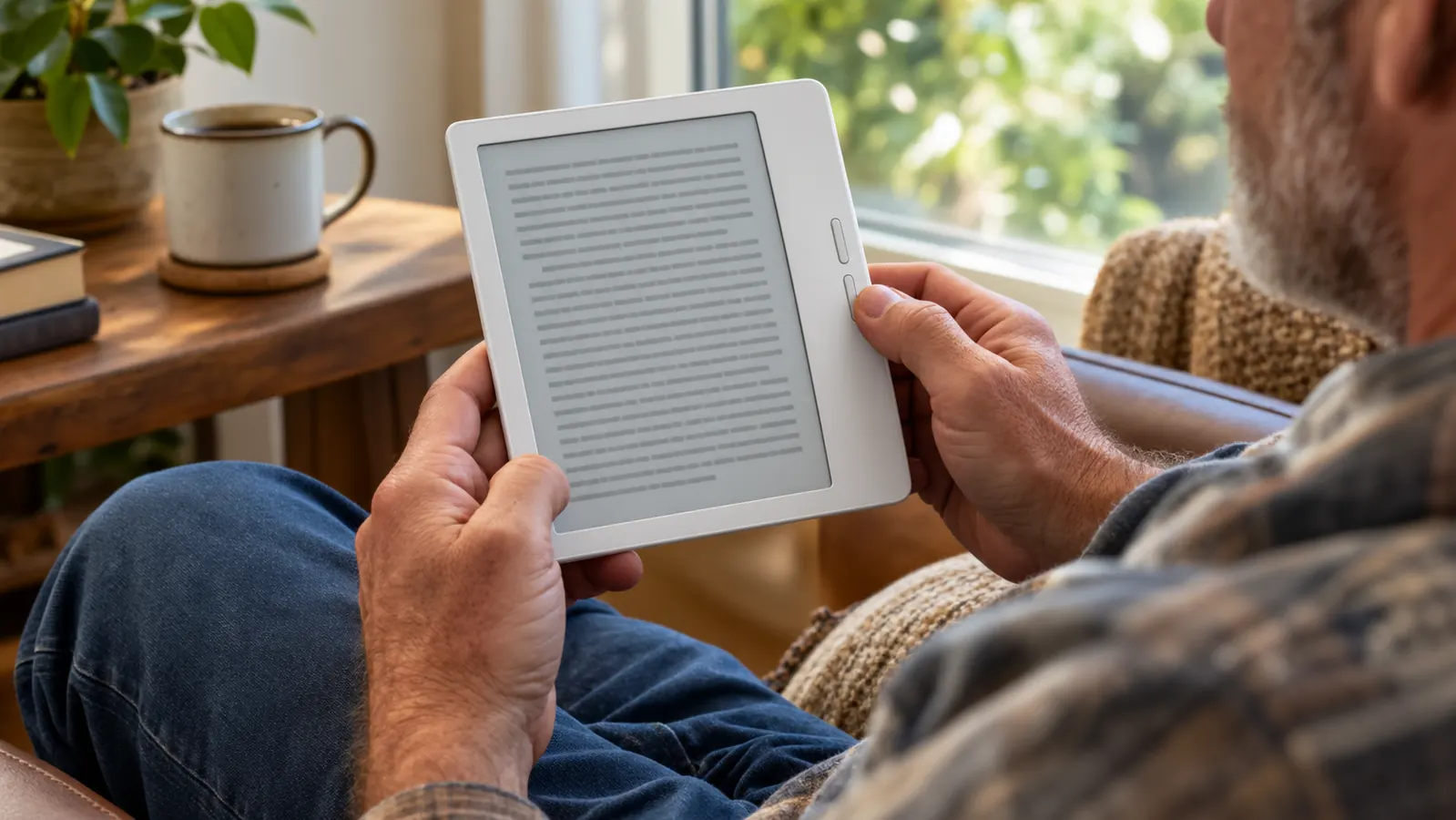
No more reaching across the screen
On a touchscreen reader, the natural tap zone is on the right side of the screen, which means your thumb travels across the display for every single page. The Kobo's buttons sit on the wider bezel, right where your thumb already rests. You do not cover the text with your hand, and you do not stretch. On my Paperwhite, I used to shift my grip every few pages to keep my thumb from cramping. With the Kobo Libra Colour, I can read a full chapter without adjusting my hand at all.
You can hold the reader in either hand
The Kobo Libra Colour's screen rotates, and the buttons sit on one side, so you can flip the reader over and hold it in your left hand with the buttons under your left thumb. For anyone with one sore hand, that is the difference between reading and not reading. On days when my right thumb is stiff, I simply turn the reader around and keep going. I do not have to stop, I do not have to switch to a different device, and I do not have to prop the reader on a pillow and tap with my knuckle the way I used to with my old Kindle.
Buttons work with a light touch
A page-turn button does not need pressure. It needs a soft click. On days when my thumb is stiff, I can press the Kobo's button with the side of my thumb or even my knuckle, which is something you cannot do with a tap target on a screen. The button gives a soft click, and the page turns. I have pressed it with the back of my fingernail, with the side of my index finger, and once, when I was holding the reader in my left hand and my right hand was busy with a cup of tea, with my pinky. It worked every time.
Fewer accidental page turns
With a touchscreen, a brush of your palm or a shift in your grip can flip you forward three pages. With buttons, the only thing that turns the page is a deliberate press. When you are reading in bed with the covers bunched around you, that matters. I have lost my place on my Paperwhite more times than I can count because I shifted my grip and the screen registered it as a tap. With the Kobo Libra Colour in the armchair, the page only turns when I mean it to.

Your grip can stay loose
Because your thumb does not need to keep moving to a tap zone, you can hold the reader however is comfortable. I often read the Kobo with my thumb just resting on the button, barely holding the device at all. A looser grip means less hand fatigue over a long session. I read a 500-page mystery over three evenings in April, and by the third night my hand felt the same as it had on the first. That never happened with my old touchscreen reader, where I was constantly re-gripping to reach the tap zone.
Buttons work with gloves and with lotion
On a chilly morning in the armchair I can keep light gloves on, and the buttons still work. In summer, after hand lotion, a touchscreen gets smeary and skips. A physical button does not care. It just clicks. I keep the Kobo Libra Colour on the side table by the armchair, and on a chilly morning I have read whole chapters with knit gloves on without taking them off. The buttons are forgiving in a way a touchscreen simply is not.
You can read one-handed with a cup of tea
This is the practical test I use for any reader: can I hold it in one hand, turn pages with that same hand, and drink tea with the other? The Kobo passes. My old touchscreen reader did not, because turning the page meant letting go of the cup. I tested this on a rainy Saturday afternoon in May with a mug of tea and a new mystery. I finished the first three chapters without once putting the mug down. That is the whole reason I bought the Kobo Libra Colour in the first place, and it has not let me down since.
Buttons are easier on arthritic thumbs
I have mild arthritis in my right thumb, and tapping a screen repeatedly is exactly the motion that aggravates it. Pressing a button with a soft click is not. My doctor did not prescribe an e-reader, but the Kobo Libra Colour has been the closest thing to one. I bought it in March of this year, after a winter where my thumb flared up badly enough that I stopped reading on my Paperwhite entirely for a few weeks. The Kobo let me get back to reading without the pain, and that is not a small thing.
You stop thinking about the page turn at all
This is the real reason buttons win. When the page turn becomes automatic, you forget the device entirely and just read. That is the whole point of a good reader, and it is why the Kobo Libra Colour is the one I grab on days when my hands are tired. I have read more books in the past seven months than I did in the year before, and I do not think that is a coincidence. When reading stops hurting, you read more. It is that simple.
What I'd Skip
If your hands never ache and you never read for more than twenty minutes at a stretch, you may not need page-turn buttons at all. My Kindle Paperwhite is a fine reader, and I still use it in bed most nights. The Kobo Libra Colour is not a replacement for every reader. It is the one I choose when my thumb is sore, and for that job, nothing else I have tried comes close.
When the page turn becomes automatic, you forget the device entirely and just read. That is the whole point of a good reader.
Read longer without the thumb ache
If you have been tapping your way through books and wondering why your hand hurts, the Kobo Libra Colour is worth a look. Physical page-turn buttons, a glare-free color e-ink screen, and library loans built in.
Amazon Check Today's Price on Amazon →