

Last winter, I caught myself reading with my left hand. That does not sound like a big deal until you know me. I have been a right-handed reader for fifty years, and I have the library fines to prove I do not give up on a book lightly. But my right thumb had started to ache every time I tapped the screen to turn a page, and by February I was doing a little shuffle: tap, wince, switch hands, tap, wince. My husband Dale watched me do it one evening and said, very gently, that I looked like I was fighting the book. He was right.
The Kindle Paperwhite in my lap is a wonderful reader. I still use it every night in bed, and I will keep using it. But that winter, tapping the screen had become a small punishment. I needed a physical page-turn button, something my old basic Kindle from 2015 never had. So in March I ordered the Kobo Libra Colour, mostly because it was the one with physical buttons on the side. I did not buy it for color covers or audiobooks or any of the other things the box lists. I bought it for my thumb.
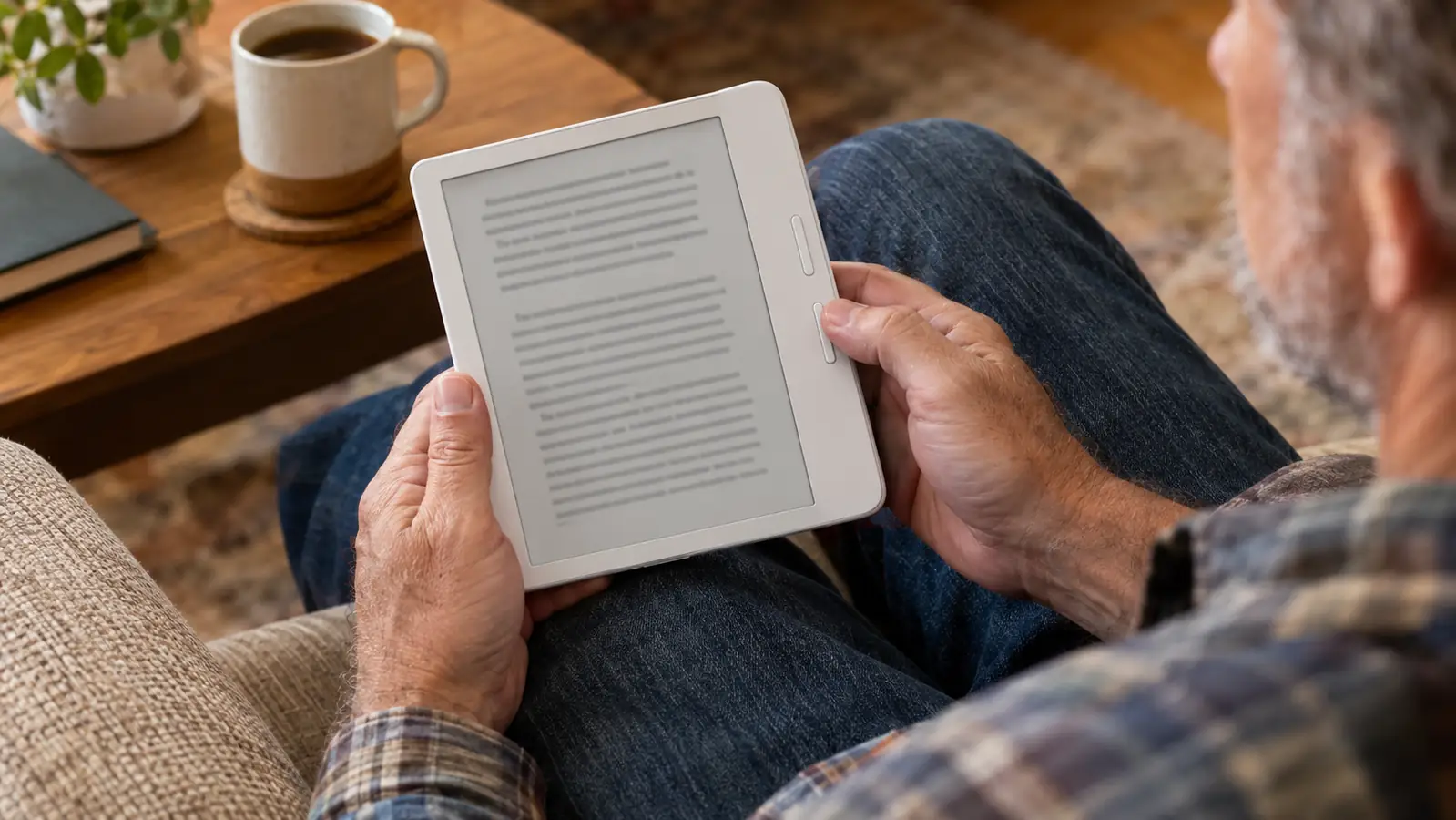
The first thing I noticed was the weight. It is light enough to hold in one hand for a full chapter, which matters when your other hand is holding a mug of tea. The two page-turn buttons sit on the wider bezel, and the screen rotates, so I can flip the Kobo over and use it with my left hand if I want. I have not wanted to very often. The buttons give a soft click, and after seven months, that click still feels like a small kindness every time.
I read the Kobo in my blue armchair by the living-room window, usually in the afternoon when the light is good. It has never been in bed with me. The Paperwhite owns that job, and I am not the kind of person who needs a device to do everything. The Kobo is my bad-thumb reader, and it has one job: let me turn pages without wincing.
That may sound like a narrow reason to buy an e-reader, but narrow reasons are the ones that get a thing used. A gadget you reach for every day because it fits one need is worth more than a do-everything device you leave on the shelf. The Kobo gets used.
I read a full 400-page mystery that week without once shifting the Kobo to my other hand. That had not happened since before the arthritis showed up.
If Tapping the Screen Hurts, This Is the Reader to Look At
The page-turn buttons are the whole story. The rest of the e-reader just has to stay out of the way, and it does.
Amazon See the Kobo Libra Colour on Amazon →The other surprise was how easy it was to get my library books onto it. I borrow most of what I read from the Columbus library's digital lending, and the Kobo has OverDrive built in. I can search for a title on the device itself, put a hold on it, and when it shows up, the book just appears. No phone in the middle, no extra app. For a person who reads two or three books a week, that convenience is the difference between a reader that gets used and one that sits in a drawer.

The screen is easy on my eyes, too. It is a 7-inch e-ink display, the same paper-like finish I love on my Paperwhite. There is no glare, and the text looks like a page, which is the whole point.
I have dropped it zero times, and I have spilled exactly one glass of iced tea on it. I wiped it off, and it kept going. I do not read in the bath, so waterproofing is not something I test on purpose, but it is nice to know the thing will survive a clumsy moment with a cold drink. The buttons have held up fine, too. Seven months in, they still click the way they did the day it arrived.
It is not a perfect reader. The color screen is pleasant for covers and illustrations, but I did not buy it for color, and I would not tell you to buy it for color either. And the stylus that Kobo sells for it is separate, so if you want to write in the margins, budget for that before you order, not after. I do not own one. I use the Kobo to read, full stop.
What nobody tells you about page-turn buttons is how much of your attention they free up. When you tap a screen, you have to aim. You think about your finger, you think about the spot, and every so often you hit the wrong place or you have to tap twice. With a button, your thumb just finds it. It is like the difference between shifting gears in an old car and pressing a button in a new one. You stop thinking about the machine and go back to thinking about the story.
What I'd Tell You If We Were Sitting at My Kitchen Table
If we were sitting at my kitchen table with coffee, I would tell you this. Buy the e-reader that matches the way your hands work, not the one that has the longest list of features. My thumb still aches some days. Arthritis does not go away because you bought a nice gadget. But it aches a lot less since March, because I stopped tapping a screen a hundred times a night. That is the whole review. A reader should disappear in your hands. The Kobo Libra Colour does that for me.
My Kitchen-Table Advice in One Sentence
Buy the reader for the way your hands actually work, and you will read more because it stops hurting to turn the page.
Amazon Check Today's Price on Amazon →