

I read two or three books a week, and for most of my life the notes I took about them went into a spiral notebook that never made it back to the shelf. The books got read. The notes got lost. When I bought the Amazon Kindle Scribe back in May, I was hoping to fix that particular loop. After five months of using it at the kitchen table and in my lap in the armchair, I can tell you exactly where it works and where it does not. The short version is that I reach for it almost every day, but I reach for it for a smaller list of jobs than I expected.
The pitch for a device like this is simple: the book and the notebook share one screen. No more flipping between a reader and a pad of paper, no more sticky notes migrating from the edge of my desk to the trash. I wanted to know whether that convenience survived daily use, or whether it was a feature I would admire for a week and then ignore. Five months in, I have my answer, and it is more complicated than the marketing copy makes it sound.
The Quick Verdict
The Kindle Scribe earns its place if you read nonfiction and actually take notes. It is not a replacement for a Paperwhite, and it is not a tablet. It is a reading desk you can hold, and that is a narrower job than Amazon's marketing suggests.
Amazon Check Today's Price →If you read nonfiction with a pen in your hand, start here.
The Kindle Scribe is the only e-ink reader I own that lets me write in the margins of a book and keep the notes with the book. Check today's price on Amazon and see whether it fits the way you actually read.
Amazon Check Today's Price on Amazon →How I've Used It
The Scribe has been in the house since May, and I have settled into a rhythm with it. It lives on the kitchen table, bare, no case, and I use it the way I used to use a clipboard. When a library book lands, I read a chapter, write in the margins, and leave it open until the next day. It is not a device I carry around. It is a device that lives where I work, and I work at the table or in the armchair. The routine took about two weeks to stick; at first I treated it like a tablet and tried to use it everywhere, which did not work.
I read about one nonfiction book a month on it, history and biography, the two genres where I always want to argue with the author. On my Paperwhite I would finish a chapter, think 'I should remember that,' and then forget it by the time I found a pen. On the Scribe the pen is already in my hand, so I actually do it. That single change has been worth more to me than any other feature on the device.
I also use it for my Friends of the Library notes. Meeting dates, shelf assignments, the list of donated books, all of it goes into a notebook on the Scribe instead of a legal pad that could end up under the couch. Five months in, the notes are still there, and I can find them, which is more than I can say for any legal pad I have ever owned.
The Screen Changes How I Read
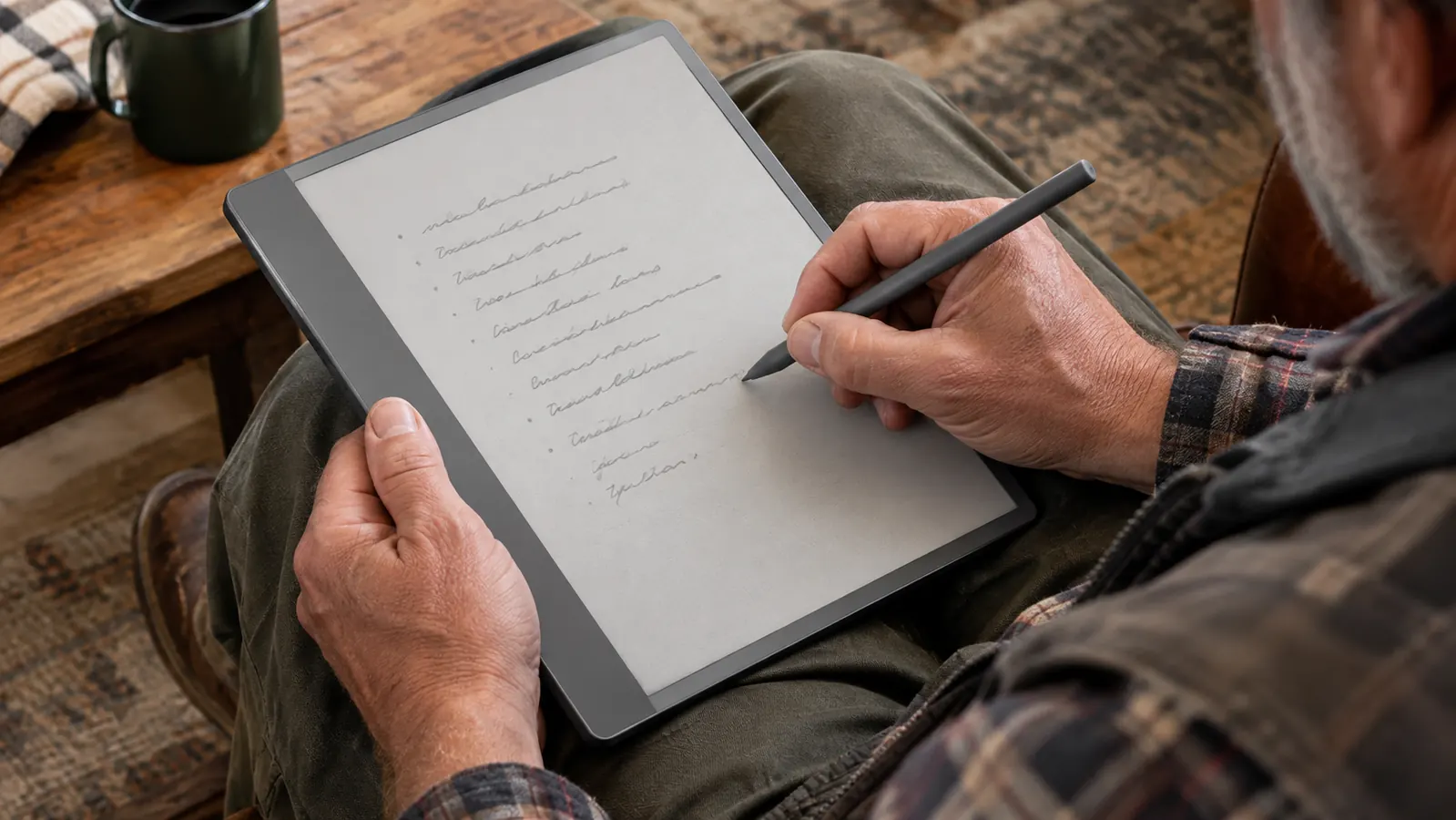
The first thing you notice is the size. The Scribe has a 10.2-inch e-ink screen, which makes my Paperwhite look like a pocket notepad. On a nonfiction book with maps, timelines, or footnotes, that extra space is not a luxury. It is the difference between reading a page and wrestling with it.
The screen is the same easy-on-the-eyes e-ink technology I already knew from my Paperwhite, just bigger and steadier. It is glare-free, so the kitchen table by the window works even in the afternoon sun. It does not feel like staring at a phone, which is what finally pushed me away from reading long articles on a bright screen. For someone who wears reading glasses and gets tired of glowing displays, that matters. It also means fewer page turns, which sounds trivial until your hands ache.
The tradeoff is that the Scribe is heavier than my Paperwhite. This is not a one-hand device, and I do not use it in bed. It is a kitchen-table or lap-in-the-armchair device. Once I stopped trying to treat it like a paperback, I stopped minding the weight. And because it is a lap or table device, it fits naturally into a slower reading session rather than a quick scroll.
What surprised me is how much the big screen helps with the books themselves. A biography with a family tree at the front becomes readable instead of a chore. A history book with a map in every chapter stops sending me to my tablet to look things up. I did not buy the Scribe for this, but it is the first thing I would mention to someone considering it.
Notes in the Margins
The Premium Pen comes in the box, and it is the reason this reader exists for me. You write directly on the page of a Kindle book, and the note stays with the book. You can also write on sticky notes, which is how I flag a passage without covering the text in scribbles. I have tried every system for keeping reading notes over the years, and they all broke down by spring.
The writing feels like writing on paper the way e-ink can manage, which is to say it is not paper, but it is close enough that I stopped noticing the difference after a week. There is a slight delay between pen and screen, the kind you only see if you are looking for it. I looked for it for two days and then stopped. I have not had to think about the pen at all, which is the highest compliment I can pay a tool.
Separate notebooks live in the same place. I keep one for the Friends of the Library and one for the stray thoughts that used to die in my head between the grocery store and the house. The notebooks are searchable, which is the part I did not expect to use and now use constantly. Being able to find a note from three months ago without rifling through a drawer is the quiet win of this device.
Where It Fits in My Reading Life
The most useful way to describe the Scribe is by what it is not. It is not a replacement for my Paperwhite, which still goes to bed with me every night. It is not a tablet, and it never tries to be. I have a Galaxy Tab for cookbooks and magazines, and the Scribe is not competing with it. The Scribe is for the books I want to think about. That separation is the whole reason the house now has four reading devices and they do not argue with each other.
On bad-thumb days I reach for the Kobo, because the page-turn buttons do not hurt me the way tapping does. The Scribe has no page-turn buttons, so I use it on days when my hands are behaving. That is a real limitation for me, and it is worth knowing before you buy. I mention it because every review should tell you which days a device does not work, not just the days it does.
For the books I read on it, the Scribe has changed a bad habit. I used to read nonfiction the way I watched television, passively, and then wonder why I could not remember any of it. Writing in the margins forces me to engage. I read fewer nonfiction books now, but I remember more of them.
I have read about five nonfiction books on the Scribe since May, and I have written in the margins of every one of them.
The Tradeoffs You Should Know
The Scribe is not waterproof. I checked the specs before I bought it, and the waterproofing was the one thing that gave me pause. I do not read in the bath, so this has never cost me anything, but if you do, this is not your reader. The Paperwhite and the Kobo are both waterproof, which makes the Scribe the one e-ink reader in the house I would not trust near water.
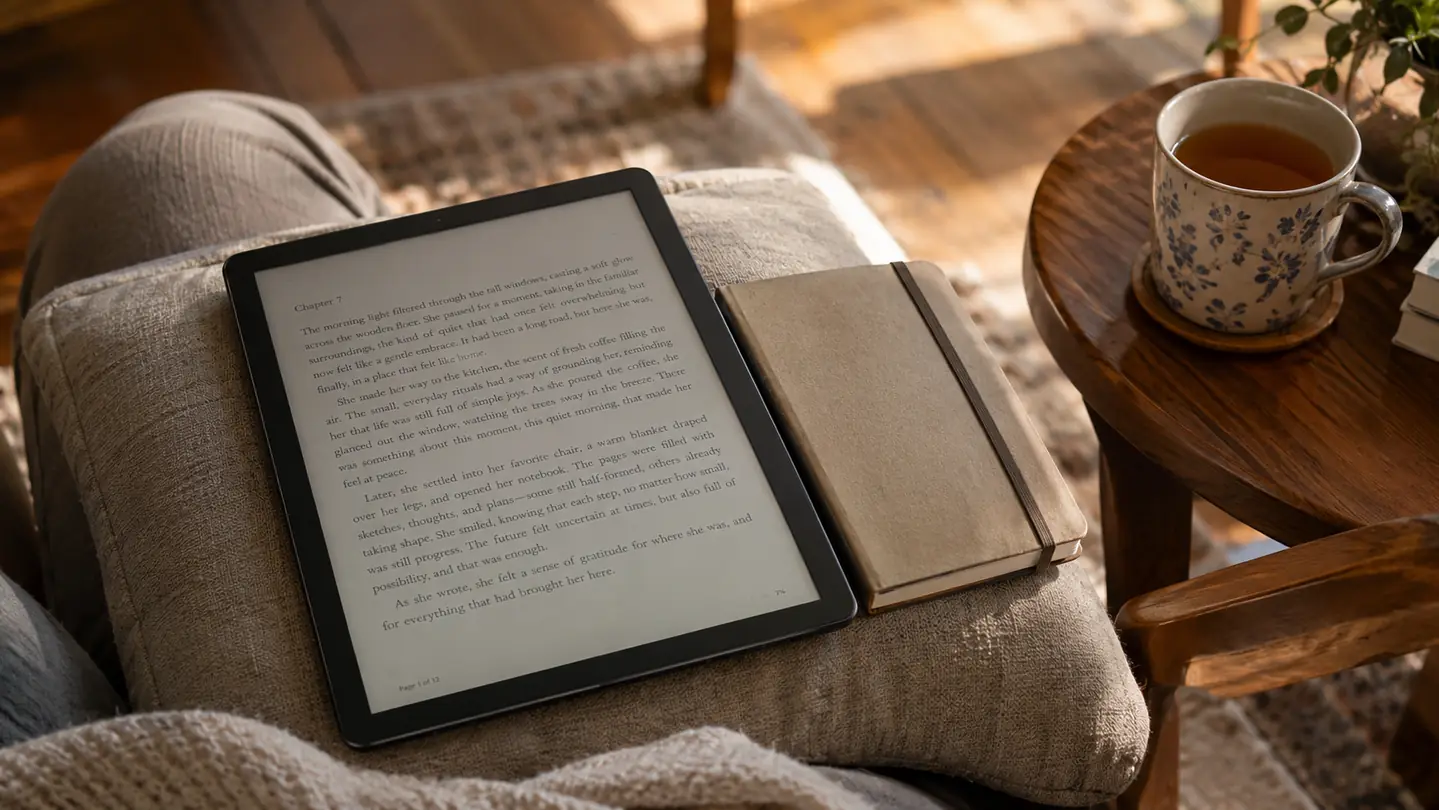
It is also a two-hand device, and it wants a surface. On the kitchen table it is perfect. In my lap in the armchair it works. On a pillow or a blanket it does not, because there is nothing rigid underneath it. I mention this because people imagine themselves reading this in bed, and that is not the way it behaves.
And the big screen comes with a narrow job description. I reach for the Scribe for nonfiction and notes, and I reach for my Paperwhite for everything else. If you read only novels and never write anything down, this is a large, heavy reader with a feature you will not use. The star ratings on Amazon reflect the same mix I found: people love the writing, and people who wanted a tablet are disappointed.
One more thing: the Scribe charges far less often than I expected. I stopped tracking it after the first month. For a device that sits on a table and gets picked up daily, that is the right kind of boring.
How It Compares to What I Already Owned
The comparison that matters most is with my Paperwhite. The Paperwhite is the reader I reach for in bed every night: lighter, waterproof, and small enough to hold in one hand. The Scribe is the reader I reach for when I need to think. They do not compete, because I want different things from them. The Scribe is the only one I describe as a desk rather than a book.
The Kobo Libra Colour is my bad-thumb reader, the one with page-turn buttons on the side. It is not in the same size class as the Scribe, and I do not use it for notes because I never bought its stylus. It earns its place in the armchair on days when tapping hurts.
The Galaxy Tab is the closest thing I own to a tablet, and it is the one I use for cookbooks and magazines. The Scribe is not trying to be that. The Scribe does one job, reading and writing, and it does that job better than the Tab because it does not glow at me. The Tab has its place, but it is not a place I want to sit for two hours.
People ask me whether the Scribe replaced anything. The honest answer is no, not exactly. It added a slot in my reading life that nothing else filled. The Paperwhite stayed in bed, the Kobo stayed in the armchair for bad days, the Tab stayed in the kitchen for cookbooks, and the Scribe found its own place at the table.
What I Liked
- Large 10.2-inch e-ink screen that makes nonfiction, maps, and timelines easier to read
- Premium Pen included in the box, no extra purchase
- Margin notes and sticky notes stay with the book; notebooks are searchable
- Battery sips instead of gulps, so charging is rare
Where It Falls Short
- Heavier than a Paperwhite, a two-hand or lap device, never a one-hand bedtime reader
- Not waterproof
- No physical page-turn buttons, so it is not my choice on bad-thumb days
- A special-purpose tool; for novels I still reach for the Paperwhite
Who This Is For
If you read history, biography, or any nonfiction where you find yourself underlining passages and writing in the margins, the Scribe is for you. If you take notes for a volunteer group, a class, or a project and you are tired of losing the notebook, it is for you. If you already live in the Kindle ecosystem and your library loans arrive through the Libby app, it is for you, because the books and the notes end up in the same place. Those are the three signs that this device will earn its place on your table rather than in a drawer.
I would also say it is for people who read with a pen in their hand but do not want to manage a separate notebook. That was my problem for decades, and the Scribe is the first device that solved it without asking me to change how I read.
And it is for people who borrow most of their reading from the library, the way I do. The Scribe sits happily in that workflow, and I have read library books on it every month since May.
Who Should Skip It
If you read mostly novels, the Scribe is probably not worth it. The big screen does not help fiction the way it helps a biography with maps and footnotes, and you will carry extra weight for no benefit. My Paperwhite is the better bedtime reader, and I do not see that changing. The screen is lovely, and the pen is lovely, but neither one will make you a note-taker if you are not one already.
If you want a tablet, buy a tablet. If you want a waterproof reader for the bath or the pool, this is not it. And if your hands hurt when you tap a screen, try the buttons on a Kobo before you commit to a device that does not have them. The Scribe is wonderful at what it does. What it does is a narrower job than the marketing suggests.
And if you already own a Paperwhite and are happy with it, take your time. The Scribe is not an upgrade to that device. It is a different tool for a different kind of reading, and it is easy to talk yourself into buying it for a feature you will use twice. Wait until you have a stack of nonfiction waiting, then decide.
Buy it for the margin notes, not the screen size.
The Kindle Scribe earns its 8.5 out of 10 from me because it solved a decades-old habit of losing my notes. If that sounds like you, check today's price on Amazon and see whether the Premium Pen makes the case on its own.
Amazon Check Today's Price on Amazon →