
I spent 32 years as a librarian, and I have been a sticky note person for longer than that. My mystery novels used to come back to the library with little yellow flags sticking out of them, and my nonfiction books looked like they had been through a paper storm. I tried typing notes into my Paperwhite, but the keyboard was too small for my thumbs and the notes lived in a separate list, divorced from the page. I tried keeping a paper notebook beside the book, but I could never match a note to its page later. Then I bought the Amazon Kindle Scribe in May, and I have not reached for a sticky note since. Here are the ten reasons why, in the order they matter to me.
The Scribe turns margin notes into something you can actually find again
If you read with a pen in your hand, the Amazon Kindle Scribe is the upgrade that makes sticky notes feel like a relic. Check today's price on Amazon and see why readers who take notes rarely go back.
Amazon Check Today's Price on Amazon →Your notes stay attached to the exact page, not stuck to the cover
A sticky note tells you a thought is somewhere in chapter six. The Scribe pins your handwriting to the exact spot on the page. Last month I read a biography of Eleanor Roosevelt and marked eleven passages as I went. When I wanted to revisit what I had thought about one of them, I tapped the little note marker and there it was, in my own handwriting, sitting right beside the sentence that prompted it. No flipping, no guessing, no notes that fell off and now live in the bottom of my bag, which is where a whole season of my margin thoughts used to end up.
You can write as much as you want, and it never gets crowded
A sticky note has room for about twelve words if you write small. My margin thoughts run longer than that. On the Scribe, I write a full sentence or two in the margin, and if I need more room, I keep writing. The note expands. I have filled margins with questions, page numbers to compare, and the occasional 'wait, is this the same character?' and none of it ever spills onto the next page.
No more notes falling off and ending up on the floor
Every sticky note user knows the moment: you open the book and a yellow flag drifts to the carpet, and you have no idea which page it belonged to. That has simply stopped happening. My notes live inside the file. They cannot fall out, they cannot get folded into the spine, and they cannot end up stuck to the sole of Dale's shoe.
The handwriting feels natural, because the Premium Pen is included
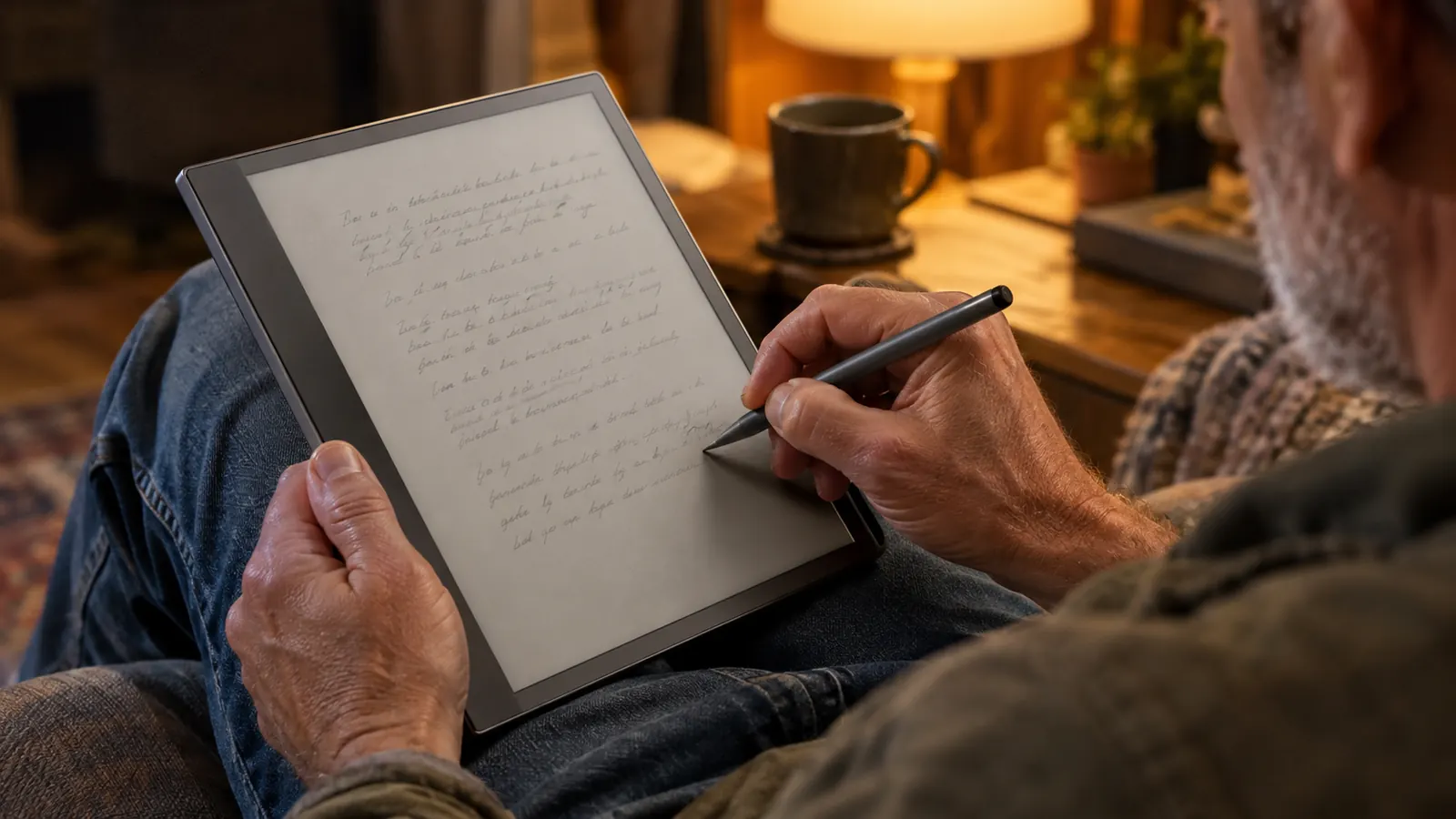
The Scribe comes with the Premium Pen in the box, which is the part that surprised me most. I expected to write on a screen and feel like I was writing on glass. Instead, the pen has a little weight to it and the screen has just enough texture that my handwriting looks like my handwriting. I tested it the day it arrived in May, writing 'the quick brown fox jumps over the lazy dog,' the same line I always write to try a pen, and it came out looking like me, not like a printed font. I write quickly, and it keeps up with me fine.
Your notes are searchable, so you can find a thought from three months ago
This is the reason I stopped keeping a separate paper notebook for book thoughts. On the Scribe, I can search my handwritten notes. When a patron asks at the library whether I have read a certain biography, I search for the title and my notes come up, with the page numbers where I wrote them. I can even tell them which chapters I marked. Sticky notes cannot be searched. They can only be shuffled, and a paper notebook only works if you remember roughly when you wrote the entry, which I never do.

The 10.2-inch screen shows a full page, so notes sit beside the text
On my Paperwhite, a note means typing on a tiny keyboard and reading the note in a separate window. On the Scribe, the page is big enough that my handwritten note sits right there in the margin, next to the sentence that prompted it. I can see the thought and the text at the same time, which is how I actually think while I read.
Library books work with notes, which surprised me
I borrow most of my books through the library's digital lending, and I assumed notes would not work on borrowed titles. They do. I can write in the margins of a library book, and my notes stay in my copy even after the book goes back. Two weeks ago I returned a biography and put it back on hold the same day so I could finish my notes. When it landed on my Scribe again, every margin note was exactly where I had left it, right down to the page number. That alone was worth the switch.
The screen is easy on my eyes for long reading sessions
I wear reading glasses and my eyes get tired on bright screens at night. The Scribe uses the same e-ink technology as my Paperwhite, which means no backlight glare and no eye strain after an hour of reading. One Saturday in June I read for two hours straight with the Scribe on my lap in the armchair, and I stood up without that tired, sandy feeling in my eyes. With a paper book and a lamp I would have been squinting by page fifty.
It replaces three things I used to carry: the book, the notes, and the pen
I used to read a hardcover with a pack of sticky notes and a pen on the arm of my chair. Now I read on the Scribe and the pen snaps to the side of the device. When I move from the armchair to the kitchen table, I carry one thing instead of three. For someone with arthritis in her right thumb, carrying less matters more than it used to.
Your notes become a reading journal you never have to file
At the end of a book, I used to have a pile of sticky notes that I would either lose or have to copy into a notebook by hand. Now my notes are already organized, in order, attached to the pages where I wrote them. I use the same notebooks for my Friends of the Library notes, so my volunteer lists and my reading thoughts live in one place. I can flip through them like a journal of my reading life. It is the closest thing to a perfect record of what I thought, and I did not have to do any filing to get it.
What I'd Skip
The Scribe is not for everyone, and I would be doing you a disservice if I pretended otherwise. If you read only fiction and never want to write a single note, the smaller Paperwhite is lighter, easier to hold in bed, and costs less. The Scribe is a two-hand or lap device; it is heavier than my Paperwhite, and I do not take it to bed. If you want a tablet that plays video or runs apps, this is not that either. It is a reading and writing device, and it is best at exactly that.
I have not reached for a sticky note since May, and my notes have not lost a single page.
If you read with a pen in your hand, this is the reader for you
The Amazon Kindle Scribe keeps your handwritten notes attached to the pages where you wrote them, searchable and safe. See today's price on Amazon and decide for yourself.
Amazon Check Today's Price on Amazon →